

KickflipOS - giving Claude proper context across every client
Every new AI chat starts from zero, and if you work with several clients at once, that sucks. So I built an operating system for my consultancy on top of Claude and GitHub, and I'm giving away the blueprint.
Introduction
If you work solo across multiple clients, you already have an operating system. Often it's held together with your own memory, local or Google Drive files and a trusty notebook and/or post-its where you write all your decisions down. Somewhere. Most of the time.
Add AI to that picture and something odd happens - these very smart tools can actually make you slower. Claude can draft a contract in seconds, but has no idea what you agreed with this client last week, and a second chat won't even know about the contract it just wrote. The more of these you open, the more this issue compounds.
The model isn't the bottleneck. The context is.
So over the past 10 months, I've been building what I now call KickflipOS - a set of conventions, Claude skills, and a couple of automations that turn Claude plus GitHub into an actual operating system for my consultancy. Every client has a durable, versioned context memory. My task board maintains itself. And everything is fully automated.
This blog post is the why and the how I built it. And at the end is the full blueprint document plus a prompt so you can have Claude build your own version.
Behind the curtain
What is it exactly? Nothing crazy or exotic. No vector databases, no agent frameworks, no SaaS subscriptions. Just these three ingredients:
- Private GitHub repos - one "context repo" per client holding their memory (call notes, email threads, decisions, contacts, commercials), separate repos for any substantial builds, and one more that hosts my task board.
- Claude skills - a few reusable instruction sets that encode the workflows - log a call, make a quick correction, back up the day's work, refresh context at session start, spin up a new project repo. Skills are what make every session behave identically, whether it's a fresh chat or one I opened a fortnight ago.
- GitHub Actions - one rebuilds each client's context index file automatically (more on that later), and antoher to keep the task board's fields in sync.
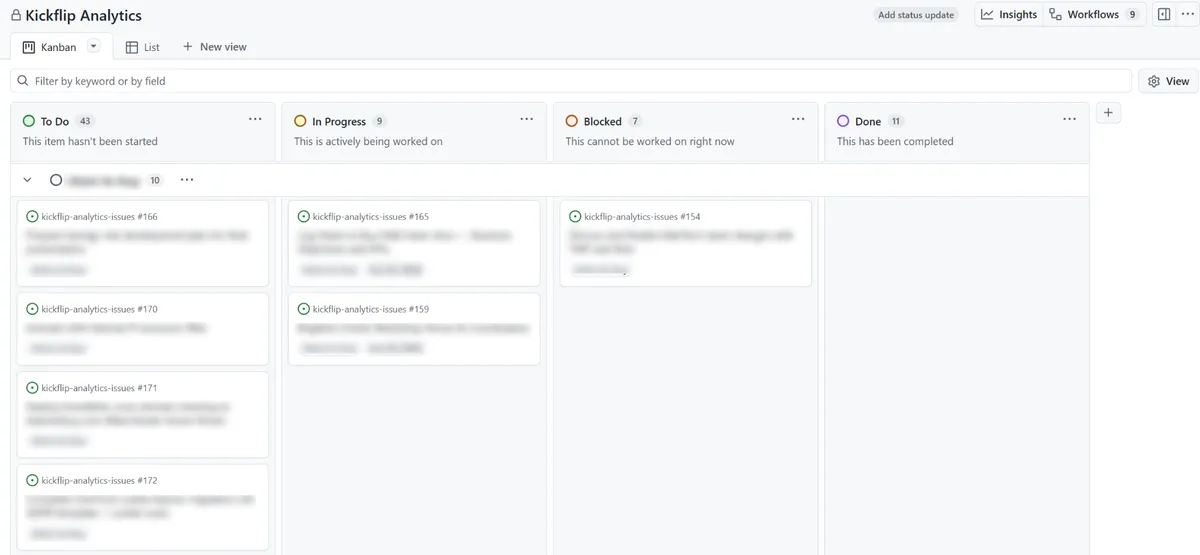
The task board is quietly one of my favourite parts. It isn't Jira, Trello, or Monday.com - it's a GitHub Project in its own private repo, where every task is just an 'issue'. Kanban view, timelines, columns, filtering, the lot - all free. Why pay a monthly per-seat fee for what GitHub has you for free?
The only bit I set up by hand is three custom fields - Client, Start Date and Due Date - to use on any issue. After that it feeds itself.
The conventions underneath
The magic, if there's any, lives here - and these took a fair few rounds of trial and error to land on. Three ideas do most of the work.
1. Split files by who's allowed to write them
Early versions kept breaking on sync conflicts, and every fix broke something else. The question that dissolved the whole problem wasn't "how do I sync better?" - it was "who is allowed to write this file?"
So everything lives in one of two zones. Context files are machine-written (only the skills touch them via the GitHub MCP) which means local copies can always be safely refreshed from the remote. Working files are my drafts, analyses, half-finished thinking. No automation ever overwrites them, and they get backed up when I say so.
That one split is why I can leave a session mid-task for three days and nothing eats my work.
2. Make every write prove it's current
This is the failure mode nobody warnd me about when having multiple AI sessions using GitHub. Session A reads a file on Monday, session B updates it on Tuesday, then session A writes its stale version on Wednesday. Either you lose a day of work, or you have to pick through a bunch of conflicts which slows you down and is a bit shit.
The fix is borrowed from how engineers handle concurrent systems. Every write goes through the GitHub MPC carrying the file's current version identifier, fetched right before editing. If another session changed it in the meantime, the write fails and retries against the fresh copy. And multi-file changes land as one commit, or not at all.
This is also why the whole thing is API-first (via the MCP) rather than using git locally. Sandboxed AI sessions (i.e. Claude Cowork) don't have git credentials, and the workarounds all involve putting confidential tokens/keys somewhere they shouldn't be. And do not do that, ever.
3. Automate rather than generate
Each client's context repo has an '_index.md' file - a one-page digest of every logged call, email, and document. Claude sessions read that first, then open only the two or three files that matter. It's the difference between Claude skimming a contents page and Claude re-reading a whole book every time you ask a question. It's most of why this system is cheap(er) to run.
The index is also the busiest file in the whole setup, touched by every workflow. Maintaining this manually was a merge-conflict magnet. So now nothing maintains it - a small GitHub Action rebuilds it from the context files on every push.
What an average workflow looks like
The daily rhythm is almost embarrassingly simple, which is kind of the point:
- Open a Claude Cowork session in a client-specific project and say "refresh" so that local context catches up on whatever other sessions have logged.
- Work. Build. Play. Ask. Do anything you need to do.
- Say "wrap up" and Claude shows me exactly what changed and where it's going, I confirm, and everything is backed up - including half-finished work.
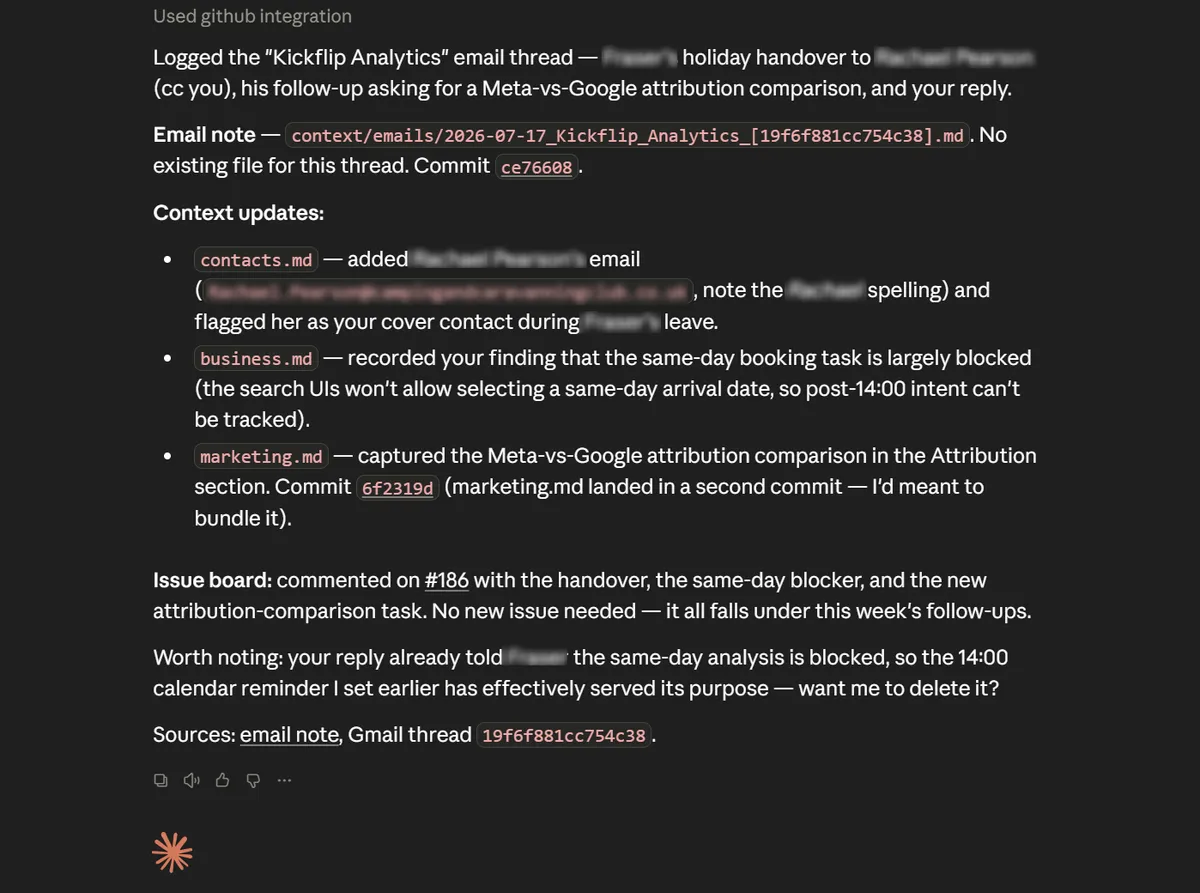
If I have a call with a client, I just say "log that call". In no time at all it's summarised, filed, cross-referenced against the board, and committed to GitHub. Same for emails, Slack messages, docs. Anything that has useful context.
If I need to add a small correction or update, I say something like "Quick add: new phone number." One fact, one commit, no fuss.
Automate the chores, not the craft
This is my strong personal opinion, and it's the one I'd most like you to take away.
AI should automate the parts of your job you don't enjoy. Not the parts you do enjoy.
I automated the Kanban board because I find maintaining one genuinely tedious. Dragging cards, nudging fields, tidying columns - it's admin, and admin is exactly the kind of thing I want a machine to do for me. So I handed it over without a second thought.
But if you love running your board, if that weekly tidy-up is how you think, plan, and feel on top of your week. Then automating it away isn't an upgrade, it's a loss. You'd be spending effort to remove the bit you like.
"Claude can do it" is not the same as "Claude should do it". Almost everything is automatable now - that's precisely why the interesting question has stopped being what can I automate? and become what do I actually want to keep my hands on? Automate the chores, focus on your craft, enjoy more of your work. The whole point of clearing the tedious stuff off your plate is to spend more time on the parts of the job that made you want to do it in the first place - not to hollow it out until there's nothing left that's yours.
Build your own OS
I've written the whole thing up as a single, anonymised blueprint - the principles, folder structures, control-file template, the five skills, the automations, and the lessons. It's built to hand straight to Claude and adapt to your own discipline, whether you're a self-employed marketer, a part-time accountant, or a freelance designer. If you work for yourself across multiple clients, this is for you.
Before you begin you do need to have a basic understanding of GitHub and your acount connected to Claude via the MCP, Claude Pro or higher, and MCPs for all your context-gathering sources (i.e. Google Drive, Slack, email, call recording software, etc.). Then download the blueprint - KickflipOS.md.
Then attach it to a new Claude Cowork chat, and copy this prompt:
I want to build my own version of the client operating system described in the attached KickflipOS document — adapted to my tools, my discipline, and my clients. Act as my architect and builder. Work in phases, and don't build anything until we've agreed the design.

**Phase 1 — Interview me.** Ask about (batch your questions sensibly, don't interrogate one at a time):
- My discipline and what a typical client engagement looks like
- How many active clients, and which ONE should be the pilot
- My tools: meeting transcription/notes, email, chat, documents, and whether each has a Claude connector I've authorised (check what's available; suggest connectors from the registry where relevant)
- Where I work with Claude (Claude Code, desktop/Cowork, both) — this affects whether git is usable in-session or everything must go via the GitHub connector
- My task tracking today (GitHub Projects, or something else) and what I want kept vs replaced
- What context categories matter in my work (calls/emails/docs are universal — what's my equivalent of the "domain" living file?)
- Any deliverable builds that need their own repos, and whether any use git-native tooling

**Phase 2 — Propose the design.** Adapt the KickflipOS blueprint to my answers: repo naming, folder structure, the CLAUDE.md control-file template (repos map + rules block), context categories and file templates, the skill set (renamed to my liking), the index automation, and the task-board relay (marker at creation + automation that mirrors it — adapted if I don't use GitHub Projects). Flag anything from the doc that doesn't fit my situation and propose the alternative. Wait for my sign-off.

**Phase 3 — Build for the pilot client.** In order:
1. Create the private context repo (and issues repo/board setup instructions if I'm using that pattern)
2. Generate the CLAUDE.md control file and the context folder skeleton with templates
3. Generate the index-builder Action (script + workflow) and commit it
4. Write the skills as installable skill files, adapted to my connectors — at minimum: log-context, quick-update, sync/backup (with a check/audit mode), refresh, and new-deliverable-repo
5. Give me step-by-step instructions for anything you can't do via API (board automations, encrypted secrets, folder mounting)
6. Migrate any existing notes I give you for the pilot client into the new structure

**Phase 4 — Prove the rhythm.** Walk me through one full cycle on the pilot: refresh → log a real call or email → make a quick update → run a sync → run a check audit. Fix whatever chafes. Only then produce the repeatable migration prompt for my remaining clients.

**Ground rules throughout:**
- GitHub is the source of truth; all writes SHA-checked and atomic via the connector; never store tokens in plaintext anywhere
- Two zones: machine-written context (refreshable) vs my working files (never overwritten)
- Generate anything derivable (the index) rather than maintaining it by hand
- Any machine-readable marker (labels/fields) is applied at creation and verified, never afterwards
- Ask before creating anything externally visible (repos, issues)
Take it, adapt it, and tell me what you'd do differently. Mine has evolved more times than I can count, and yours will too - it's a living framework.
This touches on the same shift I keep running into - a team of one now building what used to need a whole department. I dug into the technical side of that - running the whole data pipeline single-handedly - in the power of the one-person data team blog.
If you end up using this, or have your own OS you'd like to share and discuss with me, drop me a message on LinkedIn is probaly the best way to get in touch. Happy automating!