

How to add UTMs in OpenAI Ads (ChatGPT)
OpenAI Ads is new enough that most people running ChatGPT campaigns haven't sorted their tracking yet. Do it now, before your reports fill up with "direct" or "referral" traffic you can't explain.
Why this matters
Like all ad platforms, there are two sides of the same coin to measuring if a click converts. On one side is the platform's own measurement - this is where the oppref= query string parameter is used and automatically added to all OpenAI ads.
But on the other side of the coin is our measurement. And this is not automated (of course), and is where we need to add UTMs to the landing page URLs so that we can independently measure the performance of the ad clicks in our chosen marketing analytics stack.
Without UTMs, every click from an ad on ChatGPT lands in Google Analytics (or any other analytics tool for that matter) as generic "referral" traffic, or worse, gets swallowed into "direct" if there's no referrer. For example if the click originates from the ChatGPT app. You'll know you spent money, but won't know which campaign, ad group, or ad was actually profitable.
Dynamic parameters
Dynamic URL parameters (macros) are available for us to use in OpenAI Ads Manager. We can use these (along with fixed values) as custom query string parameters on the landing page URLs. The dynamic macros currently available are:
{campaign_id}- the ID of the campaign that served the ad{ad_group_id}- the ID of the ad group within it{ad_id}- the ID of the specific ad{ad_account_id}- the ID of your OpenAI Ads account
OpenAI also exposes {oppref} (its own ad click ID) but that's auto-appended to every ad URL in the query parameter "oppref=", so we don't need to add it to the UTMs as well.
Note: these are all IDs, not names. Unfortunately we don't have a way to get the names automatically at present, unlike Google Ads where we can use Ads Scripts which I covered in this post.
Adding the UTMs
Although just IDs, we have enough to build a robust UTM string:
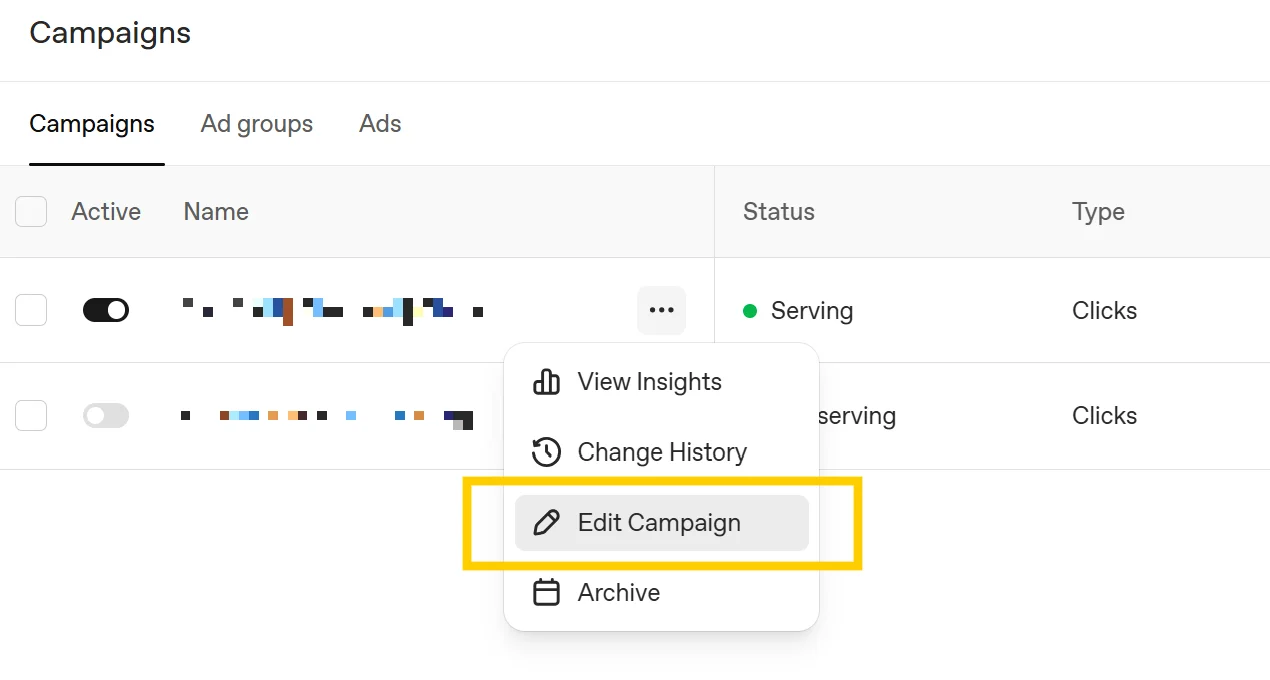
utm_medium=cpc&utm_source=openai&utm_id={campaign_id}&utm_campaign={campaign_id}&utm_content={ad_group_id}&utm_term={ad_id}Copy the string above and then head to "Campaigns" screen, then use the three-dot (⋯) menu and select "Edit Campaign".
Then paste the above UTM string into the "Landing page query parameters" box, and click save.
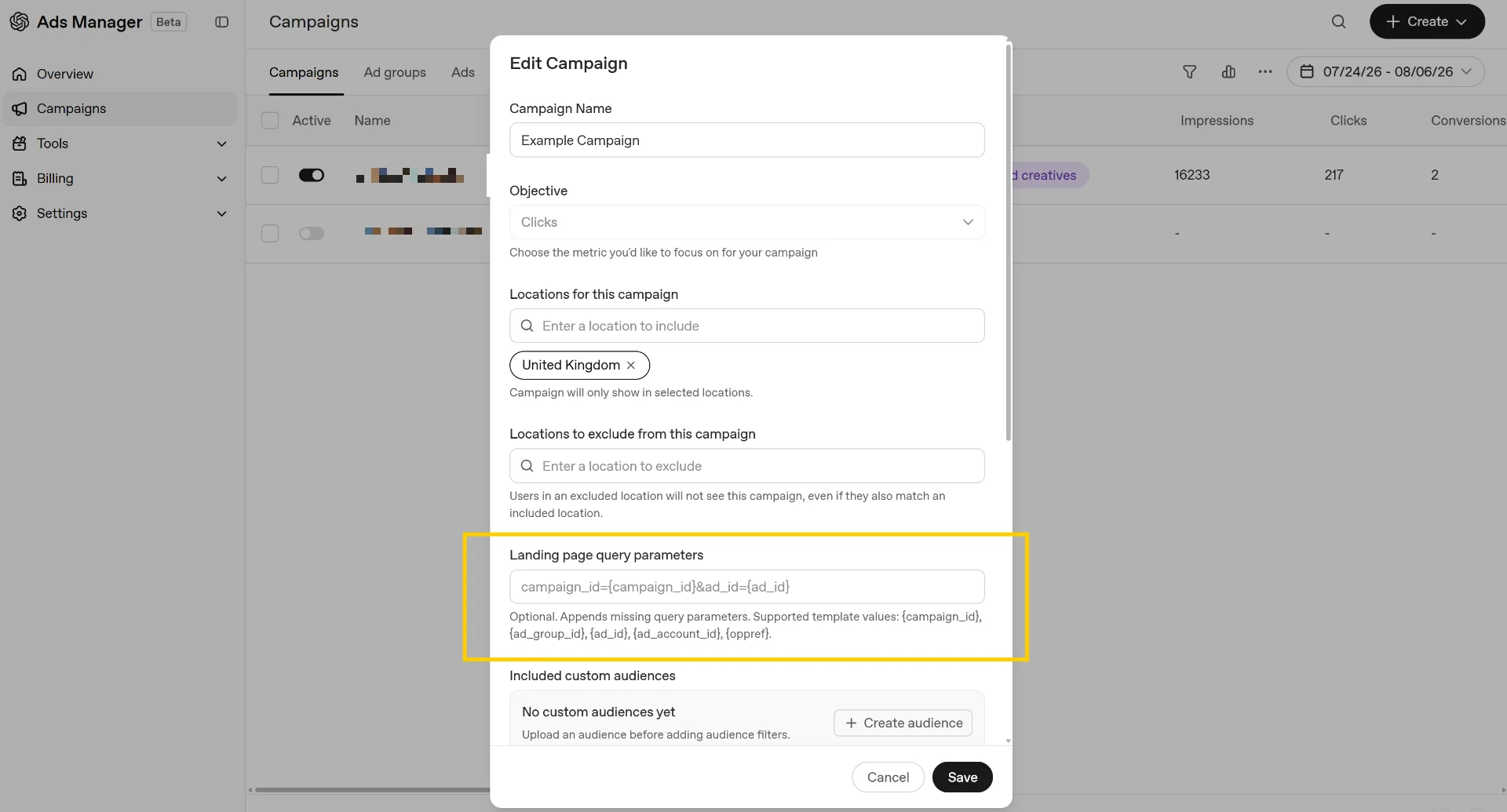
Then repeat this for each campaign. Or even better, add it during the campaign setup process.
The precedence trap
This is the bit that'll bite you if you're not paying attention - the more specific the level, the higher its priority.
The hierarchy is Ad → Ad Group → Campaign. If you set the landing page query parameters at the ad-level, then any landing page query parameters set at the ad group- or campaign-level will be ignored.
Practically, pick one level to own your UTMs and set them there consistently. Campaign level is usually the sane default, since {campaign_id}, {ad_group_id}, and {ad_id} all populate correctly regardless of which level you set the parameter at - you're not losing granularity by setting it once at the top. Only drop down to ad- or ad group-level for genuine exceptions, like if you are manually setting the names, or have other fixed parameters you need to use.
Got a better way to do this? Or a question on any of the above? Then please let me know on LinkedIn!